

Financial forecasting in Excel
Financial Forecasting in Excel with AI
ForesightXL Forecast Assistant helps finance teams generate explainable financial forecasts directly inside Excel. Combine historical data with plain-English business context to forecast revenue, costs, demand, customers, volume, usage, margin, and other business drivers without moving to a separate platform.
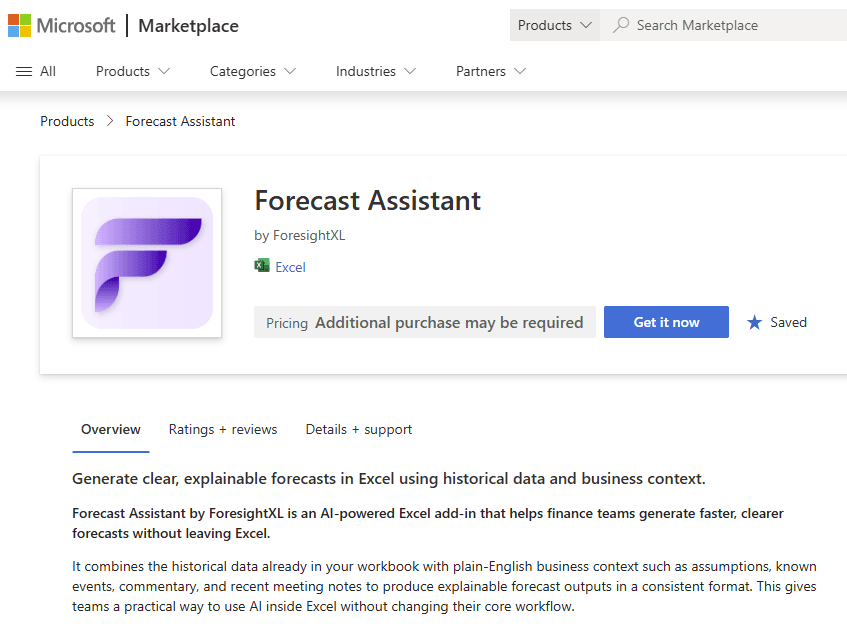
Available in Microsoft Marketplace. $19 USD/month. New users get 5 free forecasts.
What is AI financial forecasting in Excel?
AI financial forecasting in Excel uses historical financial data, plain-English business assumptions, and AI-assisted analysis to estimate future business outcomes while keeping the workflow inside Microsoft Excel. ForesightXL helps finance teams move beyond simple formulas by adding business context and returning structured explanations of the forecast drivers.
Financial forecasts need business context, not just formulas
Finance teams often start with historical data, but the forecast depends on what is happening in the business: pricing, demand, churn, market conditions, capacity, customer behaviour, hiring plans, costs, and one-off events. ForesightXL gives finance teams a structured way to include that context inside an Excel forecast.
Use the data already in Excel
Start from the historical financial and operational measures your team already tracks in workbooks.
Add assumptions in plain English
Describe the business changes behind the outlook without forcing every assumption into a hard-coded cell.
Generate explainable outputs
Review a forecast table, chart, executive summary, and component breakdown to understand what changed.
Iterate as conditions change
Rerun forecasts when actuals, assumptions, market conditions, or leadership questions change the outlook.
How financial forecasting works with ForesightXL
ForesightXL gives finance teams a repeatable workflow for turning historical data and business context into explainable forecasts inside Excel.
Step 1
Choose the metric to forecast
Use a historical series such as revenue, cost, gross margin, demand, customers, subscriptions, volume, usage, bookings, or another finance driver.
Step 2
Add the context behind the forecast
Describe the assumptions that matter, such as pricing changes, demand shifts, churn risk, market softness, sales capacity, cost inflation, product launches, or one-off events.
Step 3
Generate the forecast inside Excel
ForesightXL combines the mathematical baseline with the context you provide and generates a structured forecast output in your workbook.
Step 4
Review, explain, and refine
Use the executive summary, chart, forecast table, and component breakdown to explain the result and rerun the forecast when assumptions change.
Financial forecasting use cases
Use ForesightXL when a finance forecast needs to be fast, explainable, and grounded in both historical data and current business context.
Revenue forecasting
Forecast revenue using historical actuals and context such as pipeline, pricing, churn, seasonality, and customer behaviour.
Cost forecasting
Forecast operating costs, input costs, staffing-related expenses, capacity-driven costs, or vendor-driven changes.
Demand and volume forecasting
Forecast demand, units, usage, transactions, customer activity, or other operational drivers that affect financial results.
Customer and subscription forecasting
Forecast customer counts, recurring revenue, retention, churn, expansion, contraction, or renewal-driven metrics.
Rolling forecasts
Refresh forecasts as actuals arrive and business assumptions change during the planning cycle.
Scenario planning
Compare base case, upside, downside, market, demand, pricing, or capacity assumptions.
What finance teams get back from ForesightXL
ForesightXL is designed to return outputs that finance teams can review, discuss, and refine. The goal is not only to generate a forecast, but to make the reasoning behind the forecast easier to understand.
Forecast table
Period-by-period forecast values that can be reviewed alongside existing financial models and reports.
Actuals vs forecast chart
A visual comparison of historical results and forecast values for faster review.
Executive summary
A concise plain-English explanation of the forecast result and the main drivers influencing the outlook.
Component breakdown
A structured breakdown of the baseline and contextual factors that shaped the final forecast.
Why use AI for financial forecasting in Excel?
Finance teams need forecasts that are fast enough for changing conditions and clear enough for decision making. ForesightXL keeps the work in Excel while adding a structured AI-assisted layer for context, explanation, and iteration.
Finance stays in control
Use the data and workflow your finance team already trusts while adding AI-assisted forecast support.
Context is explicit
Document business assumptions clearly instead of leaving them buried in formulas or commentary.
Outputs are explainable
Review the forecast narrative, chart, and component breakdown before using the result in a decision.
Looking for the broader product overview? See the ForesightXL overview.
Who uses financial forecasting in Excel with AI?
CFOs and finance leaders
Review forecast outputs that connect numbers, assumptions, and business context.
FP&A teams
Generate explainable forecasts for planning cycles, reforecasts, scenarios, and business reviews.
Finance analysts
Turn assumptions into structured outputs without rebuilding every forecast from scratch.
Business leaders
Understand the forecast narrative and align on the assumptions that matter most.
Related use cases
Explore additional forecasting use cases that finance teams run alongside financial planning.
Comparisons
Compare ForesightXL with other forecasting approaches.
Frequently Asked Questions
Answers to common questions about using ForesightXL for financial forecasting in Excel.
What is AI financial forecasting in Excel?
AI financial forecasting in Excel uses historical financial data, business assumptions, and AI-assisted analysis to estimate future outcomes while keeping the workflow inside Microsoft Excel. ForesightXL adds plain-English business context and explainable forecast outputs.
What can finance teams forecast with ForesightXL?
Finance teams can forecast revenue, costs, demand, customers, volume, usage, margin, bookings, and other time-series measures where historical data and business context can improve the forecast discussion.
Does ForesightXL replace financial models in Excel?
No. ForesightXL is designed to complement existing Excel models and finance workflows. It helps teams generate, explain, and iterate forecasts faster while keeping detailed financial models under finance control.
How is ForesightXL different from a spreadsheet formula or trend line?
A spreadsheet formula or trend line usually extends historical data. ForesightXL combines historical data with business context, then returns structured outputs that help teams understand the baseline, contextual drivers, and explanation behind the forecast.
Can ForesightXL be used for revenue forecasting?
Yes. ForesightXL can be used to forecast revenue using historical revenue data and context such as pricing, pipeline, churn, seasonality, retention, market demand, and customer behaviour.
Can finance teams run scenarios with ForesightXL?
Yes. Users can update business context and rerun forecasts to compare scenario assumptions such as base case, upside case, downside case, pricing changes, market shifts, or capacity constraints.
For more detail, see scenario forecasting in Excel with AI.
How do I start financial forecasting with ForesightXL?
Install ForesightXL Forecast Assistant from Microsoft Marketplace, open Excel, use your historical data, add business context, and generate your first forecast. New users get 5 free forecasts.
Ready to create financial forecasts inside Excel?
Install ForesightXL Forecast Assistant and generate your first explainable financial forecast using your own Excel data.
Get started freeBring explainable AI forecasting into finance
Generate financial forecasts inside Excel using historical data and plain-English business context. Support revenue forecasts, cost forecasts, demand forecasts, rolling forecasts, and scenarios with outputs your team can review, explain, and refine.