

Rolling forecasts in Excel
Rolling Forecasts in Excel with AI
ForesightXL Forecast Assistant helps finance teams refresh rolling forecasts directly inside Excel. Add new actuals, update plain-English business assumptions, and generate explainable AI-assisted forecast outputs for revenue, demand, costs, customers, capacity, and other key business drivers.
It is important to note that ForesightXL is not a traditional rolling forecast model that you might find in enterprise FP&A solutions like Calumo or TM1. ForesightXL does provide a fast, natural way to turn discussions about the forecast into a structured, explainable forecast output, that could then be used to inform updates to a more detailed rolling forecast model or planning workbook.
Available in Microsoft Marketplace. $19 USD/month. New users get 5 free forecasts.
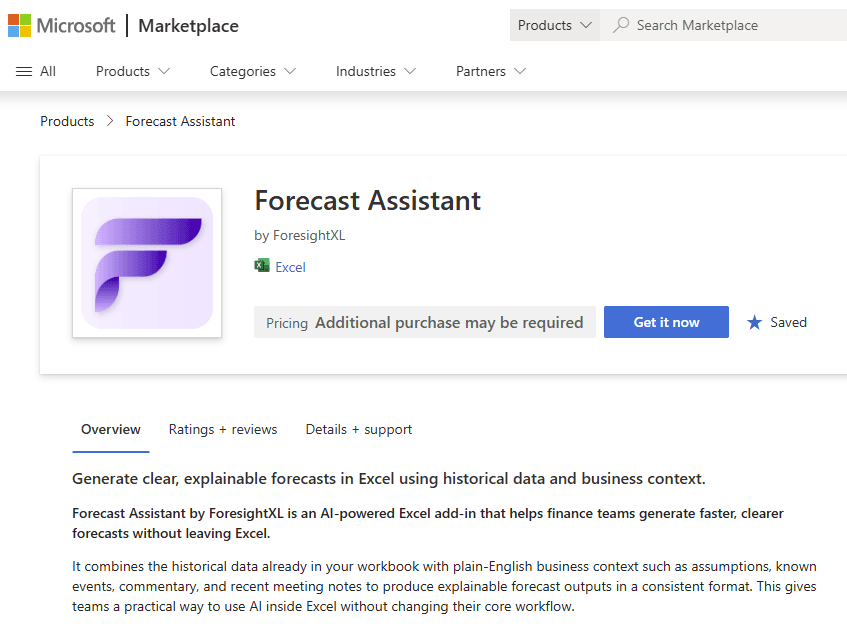
What is a rolling forecast in Excel with AI?
A rolling forecast in Excel with AI is a forecast that finance teams can refresh as new actuals and new assumptions become available. ForesightXL helps teams update the forecast inside Excel by combining the latest historical data with plain-English business context, then returning structured explanations of the updated outlook.
Refresh forecasts as the business changes
Rolling forecasts are valuable because they keep the outlook current, but they can become time-consuming when every update requires manual model edits, assumption tracking, commentary, and version control. ForesightXL gives finance teams a faster way to update forecasts while keeping the work inside Excel.
Update when new actuals arrive
Refresh forecasts after month-end, quarter-end, or any reporting cycle where actual performance changes the outlook.
Revise assumptions in plain English
Add updated context such as pipeline movement, churn changes, pricing actions, demand shifts, cost pressure, or capacity constraints.
Explain what changed
Review the forecast chart, executive summary, and component breakdown to understand the reason for the updated forecast.
Keep the process in Excel
Generate updated forecasts without moving data into a separate forecasting system or rebuilding the monthly process.
How to create rolling forecasts in Excel with ForesightXL
ForesightXL gives FP&A and finance teams a repeatable workflow for generating explainable rolling forecast updates inside Excel.
Step 1
Start with the latest actuals
Use the latest historical data your team has in Excel, such as monthly revenue, costs, demand, volume, customers, margin, bookings, or operational drivers.
Step 2
Add updated business context
Describe what changed since the last forecast: new market conditions, customer signals, sales pipeline updates, cost inflation, capacity constraints, hiring changes, or management actions.
Step 3
Generate the updated forecast
ForesightXL combines the updated baseline and business context, then generates an explainable forecast output inside your workbook.
Step 4
Review and compare the forecast narrative
Use the executive summary, chart, forecast table, and component breakdown to prepare commentary and explain the forecast change to stakeholders.
When to use AI rolling forecasts
Use ForesightXL when your rolling forecast process needs to move quickly and still produce outputs that finance leaders can review and explain.
Monthly forecast refreshes
Update forecasts after actuals are loaded and leadership needs a revised view of the year ahead.
Quarterly forecast updates
Refresh the outlook during quarterly planning, investor updates, board reporting, or management reviews.
Budget reforecasts
Reforecast when actual performance diverges from budget or when the original assumptions are no longer realistic.
Revenue forecast updates
Update revenue forecasts when pipeline, churn, pricing, retention, seasonality, or market demand changes.
Cost and capacity updates
Refresh cost or capacity forecasts when staffing, supplier costs, production capacity, or fulfilment constraints change.
Scenario-driven reforecasts
Compare new outlooks under different base case, downside, upside, pricing, demand, or market assumptions.
What you get back from a rolling forecast update
ForesightXL returns outputs that help finance teams understand the updated outlook and prepare forecast commentary for leadership, business partners, and planning discussions.
Updated forecast table
Period-by-period forecast values generated from the latest data and updated assumptions.
Actuals vs forecast chart
A visual view of historical actuals and the revised forecast so teams can inspect the trend quickly.
Executive summary
A plain-English summary of the refreshed forecast and the key drivers behind the change.
Component breakdown
A structured breakdown of the baseline and contextual factors that shaped the updated forecast.
Why rolling forecasts are hard in spreadsheets
Excel is flexible, but rolling forecasts can become difficult to manage when assumptions change frequently. ForesightXL helps preserve the flexibility of Excel while adding a faster way to update, explain, and refine forecast outputs.
Less manual rebuilding
Update context and rerun forecasts without manually rebuilding every forecast view from scratch.
Clearer assumptions
Capture why the outlook changed instead of leaving assumptions scattered across cells and commentary.
Explainable updates
Review the reasoning behind each forecast refresh before using it in a planning discussion.
Looking for FP&A-specific guidance? See AI forecasting for FP&A teams.
Who uses rolling forecasts in Excel with AI?
FP&A teams
Refresh forecasts faster during monthly, quarterly, and annual planning rhythms.
CFOs and finance leaders
Review updated forecasts with clearer explanations of what changed and why.
Finance analysts
Generate revised forecasts and forecast commentary without rebuilding every workbook view manually.
Business partners
Understand the assumptions behind the updated outlook and contribute better business context.
Related use cases
Explore other forecasting workflows that connect to rolling updates.
Comparisons
Compare ForesightXL with other forecasting approaches.
Frequently Asked Questions
Answers to common questions about using ForesightXL for rolling forecasts in Excel.
What is a rolling forecast in Excel with AI?
A rolling forecast in Excel with AI is a forecast that can be refreshed as new actuals and assumptions become available. ForesightXL helps finance teams update forecasts inside Excel by combining historical data with plain-English business context and returning explainable forecast outputs.
How can AI help with rolling forecasts?
AI can help rolling forecasts by making it faster to incorporate new context, generate updated forecasts, and explain what changed. ForesightXL lets finance teams update business assumptions and regenerate forecast outputs inside Excel.
Can ForesightXL help with monthly forecast updates?
Yes. FP&A teams can use ForesightXL to update forecasts when new monthly actuals arrive, when assumptions change, or when leadership needs a revised view of the outlook.
Does ForesightXL replace a rolling forecast model?
No. ForesightXL is designed to complement existing Excel workflows and finance models. It helps teams generate, explain, and iterate rolling forecasts faster while keeping detailed planning models under finance control.
The team at Brydens BI (the creators of ForesightXL) have setup and continue to support a range of clients around the world with Rolling Forecasts and related consolidation, reporting and planning needs. Reach out to them if you want to understand what would be involved.
What assumptions can I update in a rolling forecast?
Users can update assumptions such as revenue outlook, pipeline timing, churn, pricing, demand, costs, capacity, staffing, market conditions, supplier issues, or one-off business events.
Can I use ForesightXL for rolling revenue forecasts?
Yes. ForesightXL can support rolling revenue forecasts using historical revenue data and updated assumptions such as pipeline movement, pricing, churn, renewals, customer behaviour, and market demand.
For more detail, see revenue forecasting in Excel with AI.
How do I start a rolling forecast with ForesightXL?
Install ForesightXL Forecast Assistant from Microsoft Marketplace, open Excel, use the latest historical data, add updated business context, and generate your first rolling forecast update. New users get 5 free forecasts.
Ready to refresh your rolling forecast in Excel?
Install ForesightXL Forecast Assistant and generate an explainable forecast update using your own Excel data and business assumptions.
Get started freeRefresh rolling forecasts inside Excel
Use the latest actuals, updated business context, and AI-assisted forecasting to generate explainable rolling forecast updates. Keep the workflow in Excel and produce outputs your team can review, discuss, and refine.