

Demand forecasting in Excel
Demand Forecasting in Excel with AI
ForesightXL Forecast Assistant helps finance and operations teams create explainable demand forecasts inside Excel. Combine historical demand, volume, orders, usage, transactions, or customer activity with plain-English business context to generate AI-assisted forecasts your team can review and refine.
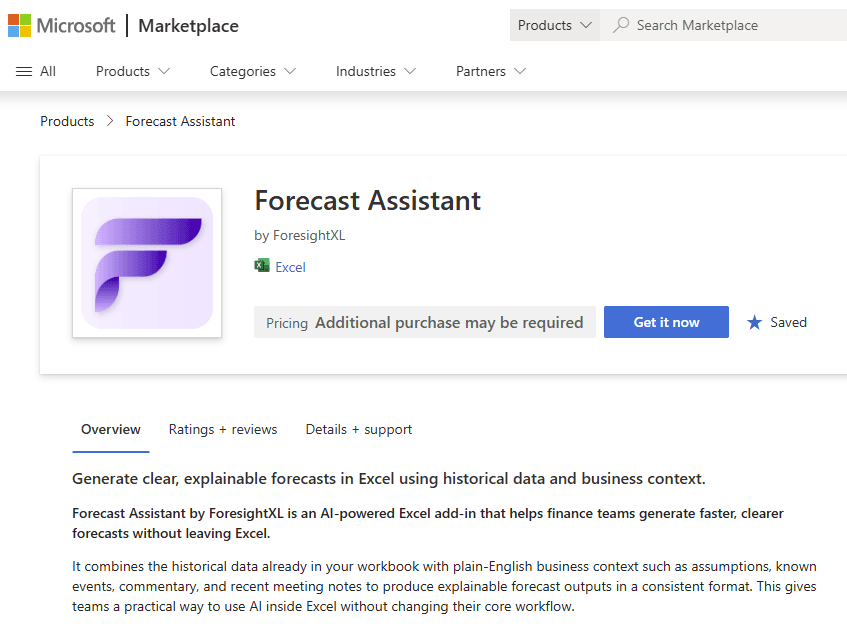
Available in Microsoft Marketplace. $19 USD/month. New users get 5 free forecasts.
What is AI demand forecasting in Excel?
AI demand forecasting in Excel uses historical demand data, business assumptions, and AI-assisted analysis to estimate future demand while keeping the workflow inside Microsoft Excel. ForesightXL helps teams add context such as seasonality, campaigns, pricing, capacity, market changes, and known events, then returns structured explanations of the forecast drivers.
Demand forecasts need more than historical averages
Demand can change because of pricing, seasonality, campaigns, supply constraints, product launches, market conditions, customer behaviour, or operational capacity. ForesightXL gives teams a structured way to include those assumptions in an Excel-based forecast instead of relying only on historical averages or manual spreadsheet adjustments.
Use historical demand data
Start with the time-series data your team already tracks in Excel, such as orders, units, bookings, transactions, usage, or customer activity.
Add business context
Capture the factors that may shift future demand, including campaigns, pricing, seasonality, capacity, supply issues, and known events.
Generate explainable outputs
Review the forecast table, chart, executive summary, and component breakdown to understand the demand outlook.
Connect demand to planning decisions
Use demand forecasts to support revenue planning, capacity planning, staffing, inventory, and operational decisions.
How to forecast demand in Excel with ForesightXL
ForesightXL gives teams a repeatable workflow for turning historical demand data and business context into explainable forecasts inside Excel.
Step 1
Choose the demand measure to forecast
Use historical data such as demand, units sold, orders, bookings, transactions, usage, traffic, customer activity, service demand, or another operational driver.
Step 2
Describe the demand context
Add plain-English assumptions about seasonality, campaigns, pricing, market conditions, product launches, supply constraints, capacity limits, or known customer behaviour.
Step 3
Generate an AI-assisted demand forecast
ForesightXL combines the historical baseline with your business context and generates a structured forecast output in your workbook.
Step 4
Review the forecast and refine assumptions
Use the executive summary, chart, forecast table, and component breakdown to understand the demand outlook and rerun the forecast when assumptions change.
Demand forecasting assumptions you can include
ForesightXL is useful when demand depends on context that is difficult to capture with a simple historical formula or average.
Seasonality
Include seasonal peaks, holiday effects, recurring cycles, school terms, weather-related patterns, or annual demand shifts.
Campaigns and promotions
Reflect marketing campaigns, promotional activity, discounting, product pushes, or changes in channel activity.
Pricing and customer behaviour
Add context about price changes, demand elasticity, customer adoption, retention, churn, or changes in buying behaviour.
Market conditions
Reflect market growth, market softness, competitor activity, macro pressure, category changes, or demand shocks.
Capacity and supply constraints
Include operational capacity, inventory limits, supplier issues, fulfilment constraints, staffing, or production limitations.
Known business events
Capture product launches, market entries, discontinued products, major customers, one-off projects, or planned operational changes.
Forecasting with Business Context using AI
Demand forecasts can be affected by factors that are not obvious from past volumes alone. Promotions, pricing, customer behaviour, product launches, capacity constraints, supply issues, market shifts and known events can all change expected demand.
ForesightXL starts with your historical demand data to create a base forecast. AI then helps apply the business context you provide, with an explanation for each adjustment, so finance and operations teams can understand what changed and why.
What you get back from a demand forecast
ForesightXL is designed to return outputs that help teams review the demand outlook and connect it to planning decisions.
Demand forecast table
Period-by-period forecast values for the demand, volume, usage, or operational measure being forecast.
Actuals vs forecast chart
A visual comparison of historical demand and forecast demand so teams can quickly inspect the trend and forecast shape.
Executive summary
A plain-English explanation of the demand outlook and the main factors influencing the result.
Component breakdown
A structured explanation of the baseline and contextual factors that shaped the final forecast.
Common demand forecasting use cases
Demand forecasting supports planning decisions across finance, operations, sales, and leadership teams.
Revenue planning
Use demand forecasts to support revenue outlooks, sales planning, bookings forecasts, and commercial decision making.
Capacity planning
Forecast future demand to understand capacity needs, staffing, fulfilment requirements, or operational constraints.
Product and service demand
Forecast product demand, service usage, customer activity, units sold, transactions, or bookings.
Scenario planning
Compare demand scenarios under different pricing, market, campaign, capacity, or customer behaviour assumptions.
Why use ForesightXL for demand forecasting in Excel?
Demand forecasting often requires both quantitative history and practical business context. ForesightXL keeps the forecast inside Excel while helping teams include assumptions, explain drivers, and refine the outlook as conditions change.
Context-aware
Include demand drivers that historical data alone may not capture.
Explainable
Review the reasoning behind the forecast before using it for planning decisions.
Excel-native
Keep demand forecasting close to the spreadsheets, models, and reports your team already uses.
Looking for revenue-specific examples? See revenue forecasting in Excel with AI.
Who uses AI demand forecasting in Excel?
Finance teams
Use demand forecasts to support revenue, capacity, cost, and scenario planning decisions.
Operations teams
Forecast future demand to inform staffing, fulfilment, inventory, production, or service capacity.
Revenue and sales operations
Add pipeline, campaign, market, and customer context to demand and revenue planning conversations.
Business leaders
Understand the demand narrative and align teams around the assumptions that matter most.
Related use cases
Explore related forecasting scenarios that often rely on demand inputs.
Comparisons
Compare ForesightXL with other forecasting approaches.
Frequently Asked Questions
Answers to common questions about using ForesightXL for demand forecasting in Excel.
What is AI demand forecasting in Excel?
AI demand forecasting in Excel uses historical demand data, business assumptions, and AI-assisted analysis to estimate future demand while keeping the workflow inside Microsoft Excel. ForesightXL adds plain-English business context and explainable forecast outputs.
What types of demand can I forecast with ForesightXL?
Teams can use ForesightXL to forecast demand, volume, orders, usage, transactions, customer activity, bookings, product demand, service demand, and operational drivers that influence revenue, capacity, and planning decisions.
What demand assumptions can I include?
Users can include assumptions such as seasonality, campaigns, pricing, promotions, market changes, customer behaviour, capacity constraints, product launches, supply issues, known events, and demand shocks.
Does ForesightXL replace demand planning systems?
No. ForesightXL is designed to complement existing Excel workflows and planning systems. It helps teams generate explainable demand forecasts quickly while keeping detailed planning processes under team control.
Can finance teams use demand forecasting for revenue planning?
Yes. Finance teams can use demand forecasts to support revenue forecasting, capacity planning, inventory planning, staffing decisions, and business performance reviews.
Can I run demand scenarios in Excel?
Yes. You can update the business context and rerun forecasts to compare demand scenarios under different assumptions, such as higher demand, weaker demand, campaign lift, capacity limits, or market softness.
For more detail, see scenario forecasting in Excel with AI.
How do I start demand forecasting with ForesightXL?
Install ForesightXL Forecast Assistant from Microsoft Marketplace, open Excel, use your historical demand data, add business context, and generate your first forecast. New users get 5 free forecasts.
Ready to forecast demand inside Excel?
Install ForesightXL Forecast Assistant and generate an explainable demand forecast using your own Excel data and business assumptions.
Get started freeCreate explainable demand forecasts in Excel
Use historical demand data, plain-English business context, and AI-assisted forecasting to understand future demand more clearly. Keep the workflow in Excel and generate outputs your team can review, discuss, and refine.