

ForesightXL vs Excel forecast workbook
ForesightXL vs Excel Forecast Workbook
Forecast workbooks are useful when the process is stable and the assumptions are already known. They are often excellent for calculating, maintaining, and presenting a forecast model that finance has already designed.
ForesightXL is different. It is a lightweight forecasting assistant for Excel that helps teams work out the forecast view before the workbook is updated. It combines historical time-series data with plain-English business context, generates an explainable forecast, and rapidly iterates with the business before carrying an agreed view into existing Excel models or FP&A platforms.
Use ForesightXL to answer the earlier forecasting question: what should the forecast be, what changed it, and why? Then rapidly test assumptions, engage the business and leadership, identify where management attention should go, and carry an agreed forecast view into your workbook.
A workbook helps calculate the forecast. ForesightXL helps work out the forecast view before the workbook is updated.
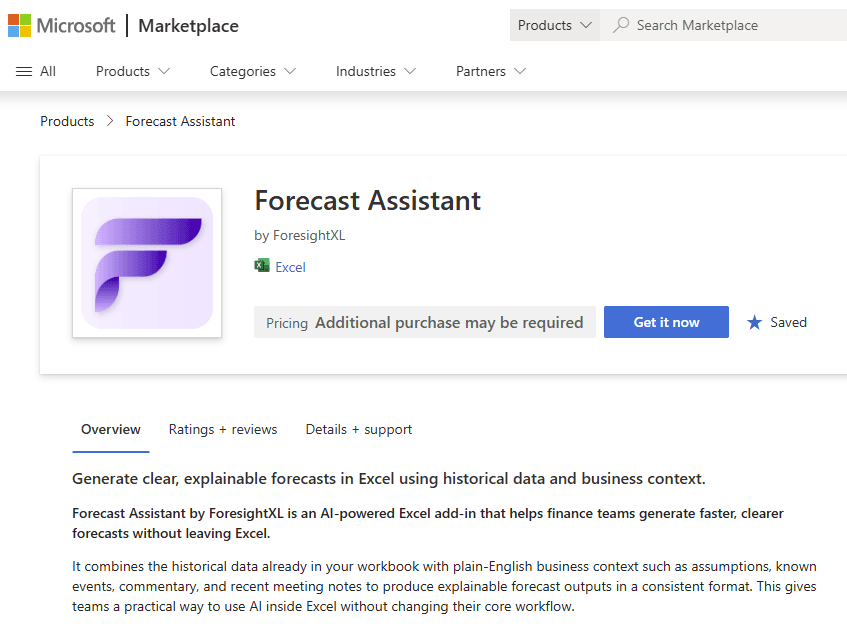
Available now in Microsoft Marketplace. $19 USD/month. New users get 5 free forecasts.
What is the difference between a forecast workbook and ForesightXL?
A forecast workbook is a manually maintained spreadsheet structure. It is useful when the forecast logic is already known and the team needs to calculate outputs, apply formulas, maintain structure, and control the model.
ForesightXL is a fast forecasting assistant inside Excel. It starts with a deterministic mathematical baseline from historical data, uses AI to interpret business context, then applies a series of numerical adjustments to the baseline so each period of the final forecast can be reviewed and explained.
Calculating the forecast vs working out the forecast
A forecast workbook is powerful when the forecast logic is already known. It can calculate outputs, apply formulas, maintain structure, and give finance teams control over the model.
But the hardest part of forecasting is often not the calculation. It is deciding what the forecast should be.
When assumptions are changing, finance teams still need to interpret business context, test different views, discuss risks and opportunities with stakeholders, and decide which assumptions should be reflected in the forecast.
ForesightXL is designed for that earlier step. It starts with historical time-series data, creates a deterministic mathematical baseline, uses AI to interpret plain-English business context, and applies explained numerical adjustments by period.
A workbook helps calculate the forecast. ForesightXL helps work out the forecast view before the workbook is updated.
Forecast workbook or ForesightXL?
The choice is not necessarily either-or. Many teams can use ForesightXL before, beside, or after a workbook: generate a context-aware forecast quickly, discuss the result with the business, iterate scenarios, and then use the agreed view in a more detailed workbook, Excel model, or FP&A platform.
When a forecast workbook is enough
An Excel workbook can work well when the forecast is stable, the drivers are already agreed, and the goal is to calculate or present a known model structure.
The forecast logic is settled
Use a workbook when the team already agrees how the forecast should be calculated.
Assumptions are stable
Workbooks are strongest when the business context is not changing rapidly.
Manual control is the priority
A workbook gives the model owner direct control over formulas, layout, assumptions, and outputs.
The task is low complexity
For simple, one-off forecasts with settled assumptions, a lightweight spreadsheet may be sufficient.
When ForesightXL adds value
ForesightXL is most valuable before the formal model is locked: when finance needs to combine numbers with real-world context, discuss assumptions with the business, test scenarios, and converge on a forecast view that can then inform the workbook, Excel model, or FP&A platform.
You need to work out the forecast view
Use ForesightXL when the immediate challenge is not calculating a known model, but deciding what the forecast should be and how context should change the result.
You need a fast first view
Generate a structured forecast quickly from historical data and context.
The business has context finance needs
Use plain-English updates, meeting notes, management commentary, market information, or supporting PDFs as forecast context.
You need explained adjustments
Review the numerical adjustments to the baseline by period and understand why they were applied.
You need to rapidly test assumptions
Update the business context, regenerate the forecast, compare outputs, and see how the explanation changes before editing the workbook.
You need consensus before modelling
Use ForesightXL to align with stakeholders before updating the detailed model.
You need to engage the business and leadership
Use an explainable forecast view to discuss what changed, which assumptions matter, and where leadership attention should go.
You need to identify where management attention should go
Use the forecast explanation to identify which drivers, risks, assumptions, or periods could materially change the outlook.
A practical workflow: workbook plus ForesightXL
1. Start with historical time-series data
Use the actuals already in Excel as the objective starting point.
2. Add business context
Paste in context or drop in supporting material such as PDFs, notes, management updates, or business commentary.
3. Review the baseline and adjustments
See the deterministic baseline and the AI-interpreted numerical adjustments applied by period.
4. Iterate with the business
Discuss the result, test different assumptions, compare scenarios, and refine the forecast view with stakeholders.
5. Identify where management attention should go
Use the explanation to understand which drivers, risks, periods, or assumptions are most material.
6. Use the agreed forecast in your model
After business review and scenario iteration, use the consensus output where appropriate in your workbook, Excel model, or FP&A platform.
Work out the forecast before you update the workbook
A workbook is often the right place to calculate, control, and maintain the forecast model. But finance teams still need a way to interpret changing business context before the workbook is updated.
Use ForesightXL to combine historical data with business context, rapidly test assumptions, engage the business and leadership, and carry an agreed forecast view into your Excel workbook.
Related use cases
Explore how teams apply ForesightXL across common forecasting workflows.
Related comparisons
Compare other approaches to forecasting in Excel.
Frequently Asked Questions
Answers to common questions about choosing between a forecast workbook and ForesightXL.
What is the difference between an Excel forecasting add-in and a forecast workbook?
A workbook is usually a manually maintained spreadsheet structure used to calculate a forecast once the logic and assumptions are known. ForesightXL is a forecasting assistant inside Excel that combines historical time-series data with business context, keeps a deterministic baseline, and explains the numerical adjustments made to produce the final forecast.
Does ForesightXL replace forecast workbooks?
No. ForesightXL is designed to be used alongside workbooks, Excel models, and FP&A platforms. It helps teams quickly generate, explain, and iterate a forecast view before using the agreed output in existing workflows.
When should finance teams use ForesightXL instead of only using a forecast workbook?
Use ForesightXL when the forecast assumptions are changing, when business context needs to be interpreted, when finance needs to rapidly test scenarios, or when the team needs to engage stakeholders before updating the workbook.
Can ForesightXL use pasted text or PDFs?
Yes. Users can add plain-English context by copy/paste or by dropping in documents such as PDFs. The AI interprets that context and converts it into explained numerical adjustments to the baseline forecast.
Why keep a deterministic baseline?
A deterministic baseline gives finance teams an independent mathematical starting point. The AI does not replace that baseline; it interprets business context and applies explained adjustments to it.
How does ForesightXL help with business and leadership discussions?
ForesightXL creates an explainable forecast view that can be used to test assumptions, discuss key drivers with the business and leadership, and identify where management attention should go before the workbook is updated.
Ready to work out the forecast before updating the workbook?
Get started freeWork out the forecast before you update the workbook
Use ForesightXL to combine historical data with business context, rapidly test assumptions, engage the business and leadership, and carry an agreed forecast view into your Excel workbook.