

ForesightXL vs FP&A platform
ForesightXL vs FP&A Platform
ForesightXL is not a full FP&A platform, and it is not trying to replace one.
A full FP&A platform is usually built to manage the formal planning process: workflows, consolidation, approvals, permissions, reporting, governance, scenarios, submissions, and enterprise planning cycles. These platforms can be powerful, but they often require demos, configuration, integrations, model setup, workflow design, user training, and rollout before the finance team sees practical forecasting value.
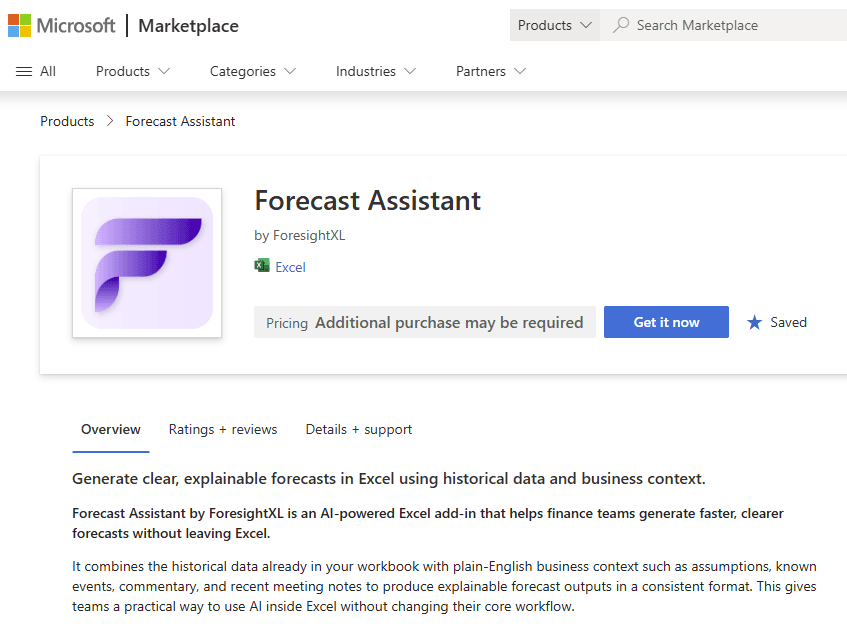
ForesightXL is different. It is a lightweight forecasting assistant for Excel that helps finance teams work out the forecast view before it is finalised in a model, reporting pack, or FP&A platform. New users can install ForesightXL from Microsoft Marketplace and generate a first forecast in minutes using historical time-series data and plain-English business context.
Use ForesightXL to answer the earlier forecasting question: what should the forecast be, what changed it, and why? Then rapidly test assumptions, engage the business and leadership, identify areas that management considers important and other areas where management attention might also be required. Carry an agreed forecast view into your existing planning workflow.
FP&A platforms help manage the forecast process. ForesightXL helps work out the forecast.
Available now in Microsoft Marketplace. $19 USD/month. New users get 5 free forecasts.
Is ForesightXL an FP&A platform?
No. ForesightXL is a lightweight forecasting assistant for Excel.
A full FP&A platform is usually designed for enterprise planning infrastructure: planning workflows, consolidation, approvals, permissions, reporting, version control, governance, and structured planning cycles.
ForesightXL focuses on a different question:
What should the forecast be, what changed it, and why?
It helps teams generate a forecast view from historical data and business context, review a deterministic mathematical baseline, understand the AI-applied adjustments, and iterate with the business before the forecast is formalised elsewhere.
What does “forecasting†mean?
Many FP&A platforms use the word forecasting, but in practice that often means managing the forecasting process: forecast periods, templates, submissions, scenarios, approvals, consolidation, reporting, and roll-forward workflows.
Those capabilities are valuable. But they do not necessarily answer the earlier analytical question:
What should the forecast number be, and why?
In many platform-led forecasting processes, the finance team still needs to design the model, configure the drivers, maintain the formulas, set the assumptions, and decide how business context should affect the forecast.
ForesightXL focuses on that earlier question. It helps finance teams create an explainable forecast view from historical time-series data and plain-English business context, then review the baseline, adjustments, and key drivers before the forecast is finalised in an Excel model, reporting pack, or FP&A platform.
The difference: managing a forecast vs working out the forecast
A full FP&A platform can help manage the forecasting process.
That can include:
- collecting forecast inputs from teams;
- defining actuals and forecast periods;
- managing forecast cycles such as rolling forecasts or reforecasts;
- maintaining planning templates;
- applying formulas and drivers;
- managing scenarios;
- consolidating submissions;
- controlling access and approvals;
- producing reports and dashboards.
Those are important capabilities when an organisation needs control, consistency, and governance across a formal planning process.
But they do not automatically solve the earlier forecasting problem:
What should the number actually be?
ForesightXL is built for that earlier step. It helps the team create an explainable forecast view from historical time-series data and plain-English business context, directly inside Excel.
Use an FP&A platform to run the formal planning process. Use ForesightXL to help work out the forecast before, beside, or between those formal cycles.
Compare ForesightXL with a full FP&A platform
When a full FP&A platform is the right tool
A full FP&A platform can be the right choice when the organisation needs to manage a formal planning process across teams, entities, systems, or business units.
Planning workflow management
Use an FP&A platform when planning requires submissions, approvals, timelines, ownership, status tracking, and structured process control.
Consolidation and reporting
Use an FP&A platform when multiple teams, entities, regions, departments, or business units need to submit, consolidate, and report plans in a controlled environment.
Permissions and governance
Use platform workflows when access control, auditability, versioning, approval trails, and governance are central requirements.
Formal forecast ownership
An FP&A platform is often the right place to manage the official forecast, budget, board reporting process, or enterprise planning cycle.
The practical trade-off
A full FP&A platform can be powerful. But it is usually a platform decision, not just a forecasting decision.
Before a team can get value, it may need to work through demos, commercial approval, implementation, integrations, model configuration, planning templates, user setup, training, and rollout.
That may be appropriate when the goal is to transform the planning process.
But it may be more than the team needs when the immediate question is:
What should our next forecast be?
ForesightXL is designed for that moment. It helps finance teams make forecast progress now, inside Excel, using the data and business context they already have.
When ForesightXL is the better fit
ForesightXL is useful when teams need speed, context, explanation, and stakeholder iteration before formal planning updates are made.
It helps finance and business teams explore the forecast before committing it to a detailed model, reporting pack, or FP&A workflow.
You need to work out the forecast view
Use ForesightXL when the immediate challenge is not workflow management, but forecast judgement: what the forecast should be, what assumptions matter, and how context should change the result.
You need a fast forecast from data and context
Generate a structured forecast quickly from historical time-series data and plain-English business context.
Context is outside the system
Use meeting notes, management updates, market commentary, operational changes, customer information, or supporting PDFs to inform the forecast.
You need to rapidly test assumptions
When assumptions change, finance teams often need to understand the impact quickly. ForesightXL lets users update the business context, regenerate the forecast, compare outputs, and see how the explanation changes.
That makes it easier to test different views with the business before committing to a formal forecast submission.
You need to engage the business and leadership
A forecast is rarely just a spreadsheet exercise. Finance teams need to explain what has changed, test assumptions with the business, understand which drivers matter most, and help leadership focus on the areas that could materially change the outlook.
ForesightXL gives teams an explainable forecast view they can discuss, challenge, and refine with stakeholders before locking assumptions into a formal planning model or platform.
You need rapid scenario iteration
Change the context, rerun the forecast, compare the output, and converge on a consensus view faster.
How ForesightXL works alongside FP&A platforms
ForesightXL is strongest before the formal planning workflow is locked.
Use it to form, explain, and test a forecast view. Then carry the agreed assumptions or outputs into your existing Excel model, forecast workbook, reporting pack, or FP&A platform where appropriate.
1. Start with historical time-series data
Use actuals already available in Excel, exported from business systems, or prepared by finance.
2. Add business context
Paste plain-English context or drop in supporting documents such as PDFs, management notes, market updates, operational commentary, or business assumptions.
3. Review the deterministic baseline
ForesightXL maintains a mathematical baseline that is independent of AI interpretation.
4. Review explained numerical adjustments
The AI interprets business context and applies a series of numerical adjustments to the baseline by period, with each adjustment explained.
5. Iterate with the business
Discuss the result, adjust the context, rerun the forecast, and compare scenarios until the team reaches an agreed view.
6. Understand management attention
Use the forecast explanation to understand which drivers, assumptions, periods, or risks are most material. This helps finance focus business and leadership discussions on the areas that could make the biggest difference to the outlook. Discussing these points will also highlight areas that leadership believe are important, make sure you understand why.
7. Use the agreed output where appropriate
Carry the consensus forecast into Excel models, forecast workbooks, reporting packs, or FP&A platform workflows where appropriate.
ForesightXL is not an FP&A system replacement
ForesightXL does not aim to replace enterprise planning systems.
It does not try to manage every workflow, permission, approval, consolidation, reporting, or governance requirement.
Instead, it gives finance teams a fast, focused way to create an explainable forecast view from data and context before that view is formalised in the tools the organisation already uses.
Use an FP&A platform to run the formal planning process. Use ForesightXL to help work out the forecast before, beside, or between those formal cycles.
Common use cases before the FP&A workflow is finalised
Use ForesightXL when the team needs to understand what the forecast could look like before committing to a formal planning submission or model update.
Rolling forecast refreshes
Update the forecast quickly when new actuals arrive or business assumptions change.
Scenario planning
Compare base, upside, downside, pricing, demand, capacity, revenue, market, or operating assumptions.
Revenue forecast discussions
Combine revenue history with pipeline, pricing, churn, seasonality, customer behaviour, or market context.
Demand or capacity review
Test operational assumptions before updating a formal planning model or platform workflow.
Forecast challenge sessions
Use the baseline and explained adjustments to challenge whether the current forecast view is too optimistic, too conservative, or missing known business context.
Leadership forecast reviews
Use ForesightXL to turn the forecast into a discussion. Show what changed, which assumptions matter, where the risks are, and which areas need leadership attention.
Related use cases
Explore how ForesightXL supports finance teams before, beside, or after formal planning workflows.
Related comparisons
Compare other approaches to forecasting in Excel.
Frequently Asked Questions
Answers to common questions about comparing ForesightXL with a full FP&A platform.
Is ForesightXL an FP&A platform?
No. ForesightXL is not a full FP&A platform. It is a lightweight forecasting assistant designed to work alongside Excel models, forecast workbooks, and FP&A platforms.
How is ForesightXL different from an FP&A platform?
FP&A platforms usually manage planning workflows, consolidation, permissions, approvals, reporting, and enterprise planning processes. ForesightXL focuses on fast forecast generation, business-context interpretation, explained numerical adjustments, and rapid scenario iteration inside Excel.
Does an FP&A platform automatically create the forecast?
Not necessarily. Many FP&A platforms help manage the forecasting process: planning periods, workflows, submissions, models, scenarios, consolidation, and reporting. The finance team may still need to configure the forecast model, formulas, drivers, assumptions, and business logic.
ForesightXL focuses on helping generate and explain a forecast view from historical time-series data and business context.
Does ForesightXL replace an FP&A platform?
No. ForesightXL is designed to complement FP&A platforms. Teams can use it to generate and discuss an explainable forecast view, iterate scenarios with the business, and then use the agreed output where appropriate in existing FP&A workflows.
When should finance teams use ForesightXL instead of a full FP&A platform?
Use ForesightXL when the team needs a fast, lightweight way to combine historical data with business context, review a deterministic baseline and explained adjustments, and test scenarios before updating formal planning systems.
Use a full FP&A platform when the organisation needs structured planning workflows, enterprise governance, consolidation, approvals, permissions, and formal reporting.
Can ForesightXL use context from documents?
Yes. Users can provide business context by copy and paste or by dropping in supporting documents such as PDFs. ForesightXL uses AI to interpret that context and convert it into explained numerical adjustments to the baseline forecast.
How does ForesightXL help with stakeholder conversations?
ForesightXL gives finance teams an explainable forecast view that can be reviewed with the business and leadership. Teams can test assumptions, compare scenarios, understand key drivers, and identify where management attention is currently focused and perhaps where it should go.
What happens after the business agrees with a ForesightXL forecast?
The agreed forecast can be used where appropriate in traditional Excel models, reporting packs, budget workflows, or full FP&A platform solutions.
Ready to try lightweight forecasting alongside your FP&A workflow?
Get started freeWork out the forecast before you formalise the process
ForesightXL is not trying to replace the systems that manage formal planning. It is designed to help finance teams answer the forecasting question before, beside, or between those formal cycles.
Use a full FP&A platform to manage the planning process.
Use ForesightXL to work out the forecast view, rapidly test assumptions, engage the business and leadership, identify where management attention is and perhaps where it should go, and carry an agreed view into your existing workflow.